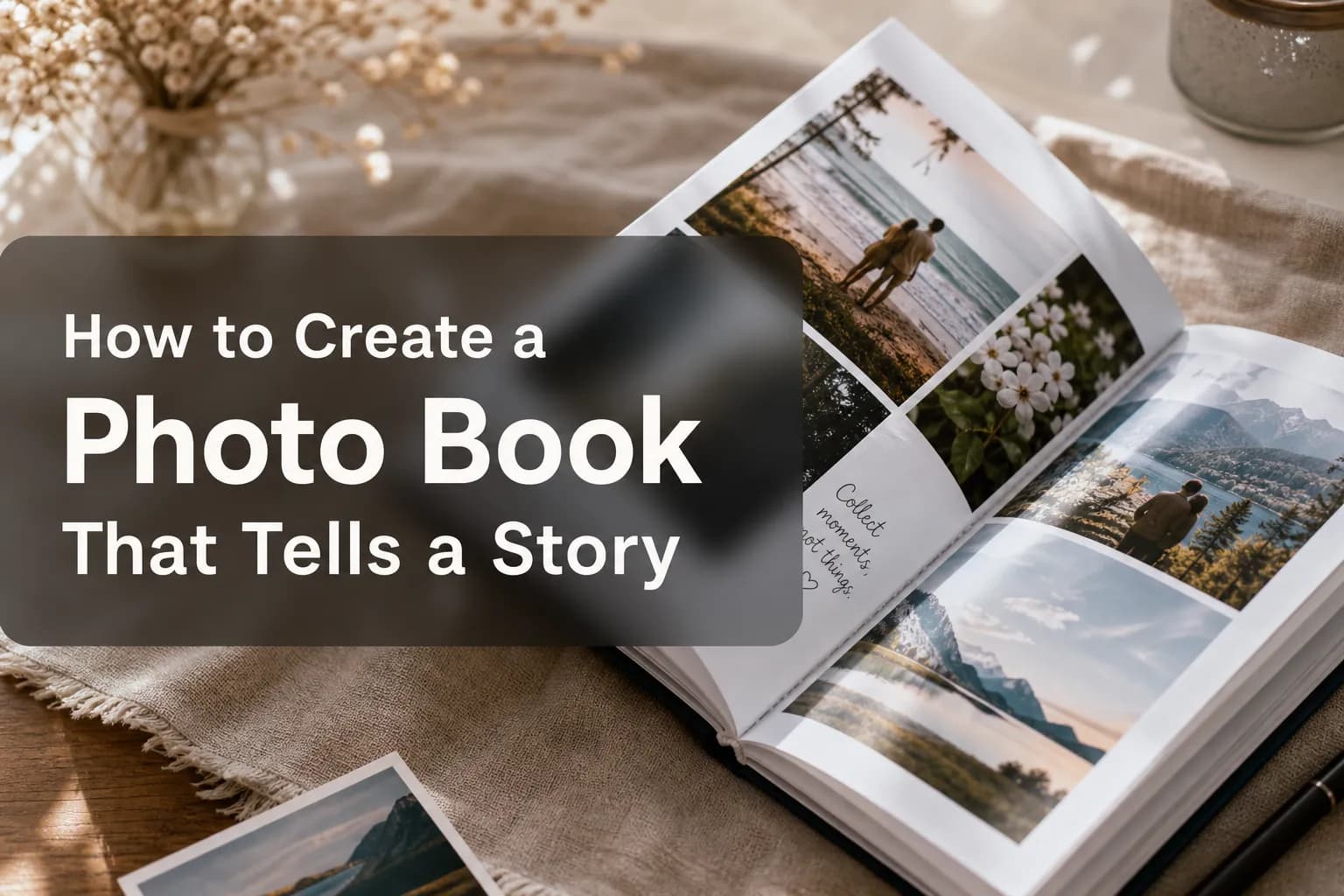
How to Create a Photo Book That Tells a Story
A great photo book is not just a collection of images. It is a narrative object: a curated experience that guides someone through a memory, a milestone, a relationship, or a transformation. Whether you are building a family keepsake, a client album, a wedding gift, a travel recap, or a branded print product for customers, the difference between a book people flip through once and a book they treasure for years is simple: story structure.
For creators and print businesses alike, that creates a major opportunity. Readers want emotionally resonant books, but they also want the process to feel effortless. That is exactly where next-generation, AI-powered web-to-print experiences are changing the category. At Media Rex Alliance, we see the future of the photo book in conversational creation, mobile-first workflows, instant layout generation, photorealistic previews, and white-label deployment that helps print brands modernize without rebuilding their stack from scratch.
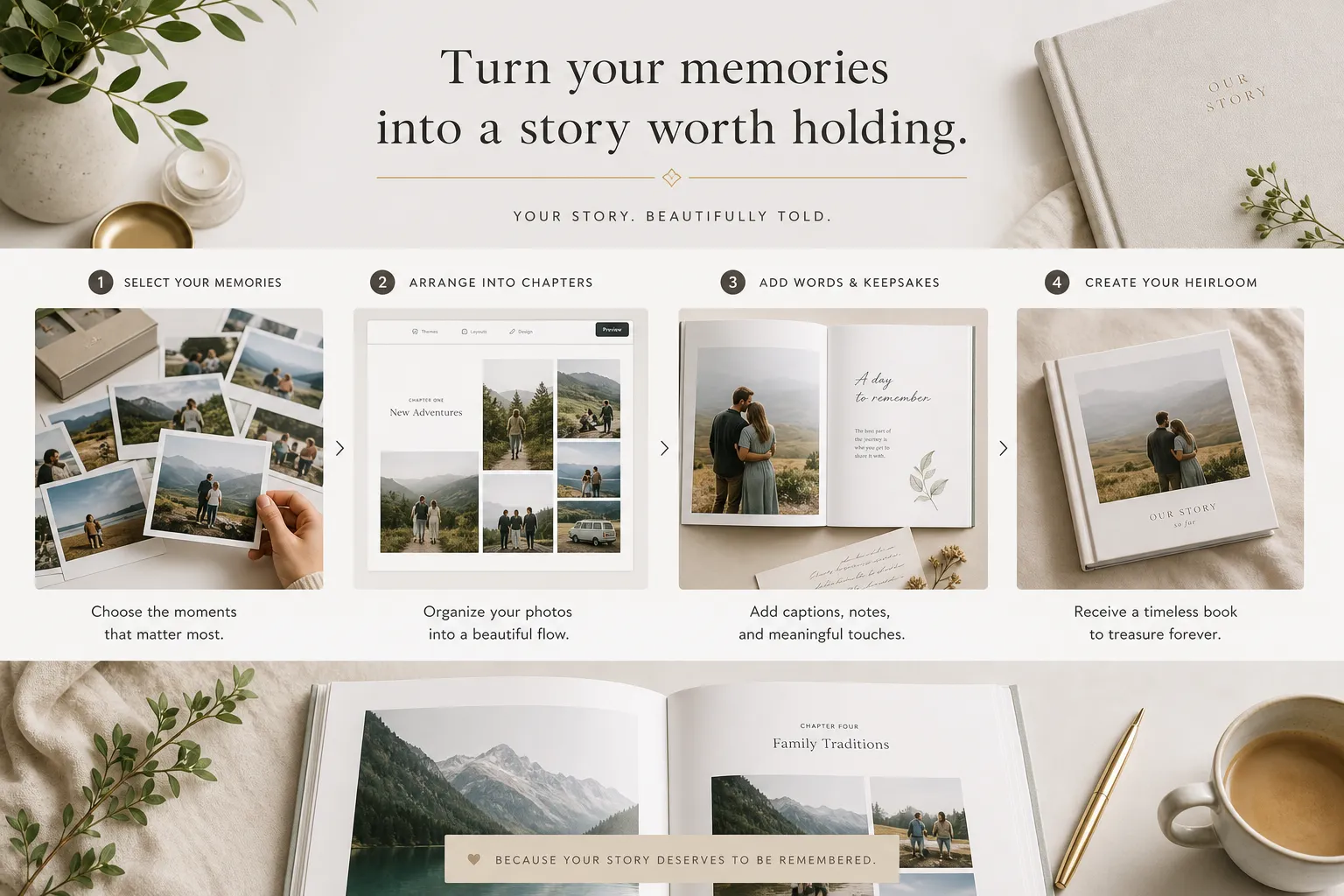
What top photo book brands get right - and what they still miss
The strongest competitor pages from Walgreens, Snapfish, and Mixbook consistently emphasize a few winning themes:
broad format choice
easy design tools
occasion-based templates
layflat and premium cover upgrades
mobile creation
fast production or shipping
emotional positioning around memories and milestones
Those are all important. But most top-ranking pages still focus more on product options than on storycraft. They explain sizes, covers, and price points well, yet often gloss over the editorial side of making a meaningful book.
The biggest content gaps most articles leave open
Here is where most existing content underdelivers:
Content Gap | Why It Matters |
|---|---|
Story arc planning | Readers need help turning random images into a coherent emotional journey |
Photo pacing | Too many books feel crowded because no one explains when to go full-bleed, when to simplify, and when to pause |
Caption strategy | Short, well-placed text often elevates a book more than extra design flourishes |
Reader experience | A book should be designed for someone to move through it, not just look at isolated pages |
Business workflow modernization | Print companies need a scalable way to offer premium creation without forcing customers into clunky editors |
Preview confidence | Most pages understate how much 3D and AR previews can improve trust and conversions |
Multi-device continuity | Users start on mobile and finish elsewhere; seamless cloud and local sync matters more than ever |
This guide closes those gaps.
Why storytelling matters more than ever in photo books
A photo book succeeds when it does three things at once:
Preserves memory
Creates emotion
Makes the viewer want to keep turning pages
That is why narrative matters more than decoration.
"83% of consumers desire printed photos as physical mementos." - Gitnux
That demand for physical keepsakes is exactly why a well-made photo book still outperforms a camera roll. Thousands of digital photos can sit untouched. A thoughtful book becomes an artifact.
A story-driven book feels intentional
The strongest books are not necessarily the most elaborate. They are the ones that feel edited with purpose:
a clear beginning
a natural middle
an ending that lands emotionally
recurring visual themes
enough breathing room for the most important images
Start with the story before the layout
Before you choose cover finishes, page counts, or embellishments, answer this question:
What is this book about, really?
Not just the event. The meaning.
For example:
a wedding book might really be about the joining of two families
a baby book might be about the first year of transformation
a travel book might be about adventure, discovery, and contrast
a memorial book might be about legacy and continuity
a school-year book might be about growth over time
Once you define the emotional core, your design decisions become much easier.
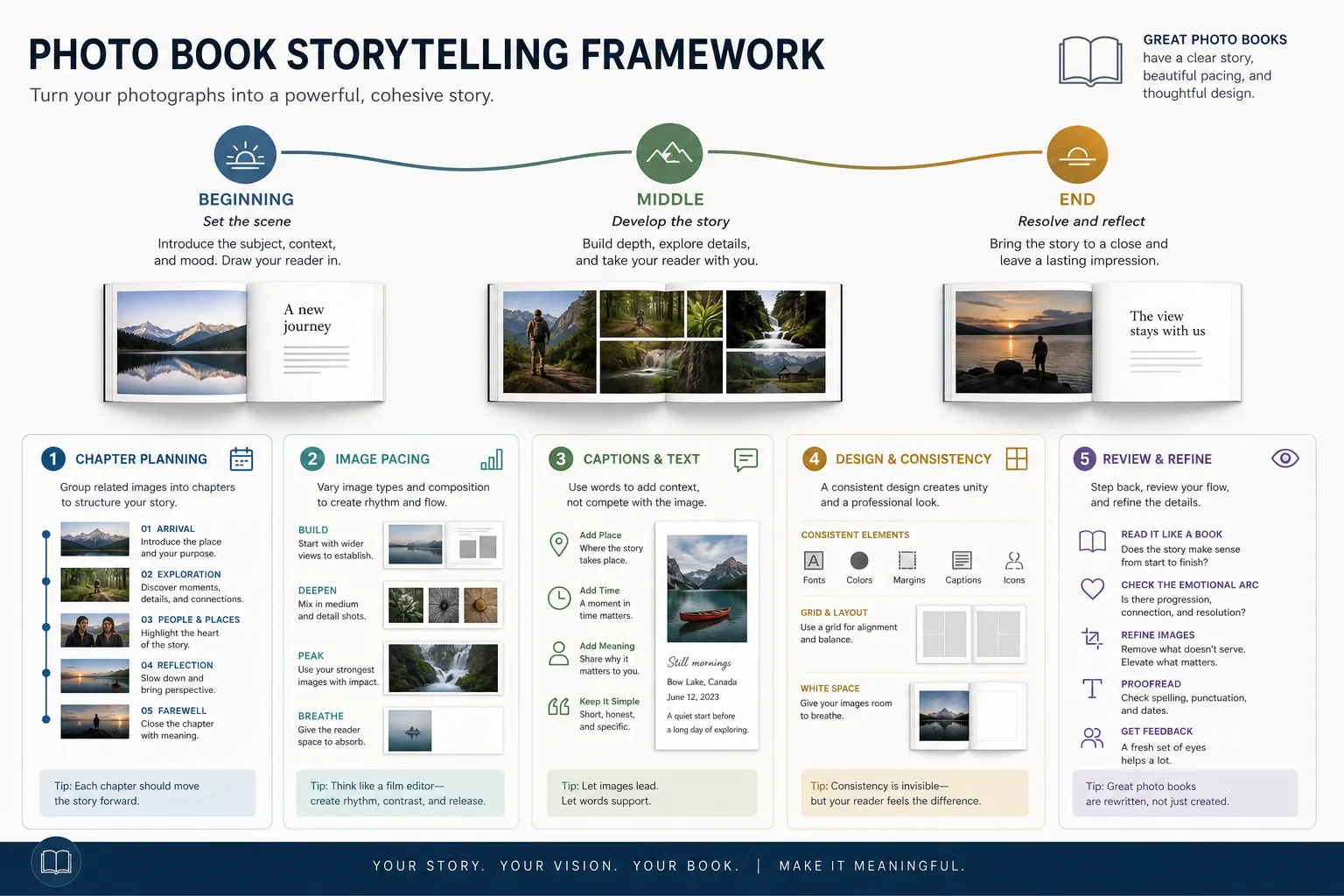
A simple framework: theme, chapters, payoff
Use this three-part planning model:
Element | Question to Answer | Example |
|---|---|---|
Theme | What is the central emotional idea? | “Our first year as a family of four” |
Chapters | What sequence will tell it best? | anticipation, arrival, routines, milestones, quiet moments |
Payoff | What feeling should the last pages leave? | gratitude, pride, nostalgia, joy |
Build your photo selection like an editor, not an archivist
One of the most common mistakes is trying to include everything. Storytelling requires curation.
Choose photos by function
Every strong photo in a book should do at least one job:
set the scene
introduce people
show change
capture emotion
provide detail
create transition
deliver the climax
When selecting images, tag them mentally or physically by role.
The ideal mix of image types
A compelling book usually includes a balance like this:
Image Type | Purpose |
|---|---|
Hero images | Big emotional anchors; use sparingly for impact |
Context shots | Show place, environment, or atmosphere |
Candid moments | Add honesty and warmth |
Detail shots | Hands, decorations, notes, objects, food, textures |
Transitional images | Hallways, roads, skies, empty spaces, setup moments |
Closing images | Reflection, goodbye, stillness, or final celebration |
Cut duplicates ruthlessly
If you have six versions of the same smile, keep the one with the strongest emotion or composition. A better book is not the one with more photos. It is the one with better decisions.
Organize the book into chapters
The easiest way to make a photo book tell a story is to stop thinking in pages and start thinking in chapters.
Example chapter structures by occasion
Occasion | Suggested Chapters |
|---|---|
Wedding | getting ready, ceremony, family, celebration, quiet moments |
Travel | departure, arrival, landmarks, local details, people, reflections |
Baby’s first year | waiting, arrival, home, tiny milestones, first holidays, first birthday |
Family yearbook | winter, spring, summer, fall, everyday favorites, year-end reflection |
Graduation | early years, school life, achievements, friends, ceremony, next chapter |
Chapters create momentum. They also help you avoid random page ordering.
Add title pages or soft transitions
You do not always need a formal divider page, but small chapter cues help:
a short heading
a simple date range
a location name
one full-page image with lots of whitespace
a short quote or memory line
Design for pacing, not just beauty
A story-driven photo book needs rhythm. If every page is equally dense, nothing stands out.
Use visual pacing like a filmmaker
Think in beats:
open strong
slow down
build energy
create contrast
end with intention
Practical pacing rules
Page Strategy | Best Use |
|---|---|
Full-bleed spread | Best for emotional peaks or scenic impact |
One-photo page | Strong portrait, meaningful detail, or pause moment |
Multi-photo collage | Sequences, mini-events, or playful energy |
White space-heavy layout | Reflection, elegance, premium feel |
Text-led page | Milestone note, dedication, timeline setup |
Don’t put every “best” photo together
Spread out your strongest images. Give each one room to breathe.
Write captions that deepen the story
Many photo books become dramatically better with just a little text.
What captions should do
Great captions do not repeat what the viewer can already see. They add:
context
voice
memory
humor
emotional subtext
Instead of:
“At the beach”
Try:
“The morning we all forgot our shoes and stayed until sunset.”
Four caption formats that work well
Caption Type | Example |
|---|---|
Memory line | “You insisted on carrying the giant map.” |
Time marker | “July 2025 - Amalfi Coast” |
Reflection | “This was the moment it all finally felt real.” |
Micro-story | “Ten minutes after this, the cake fell over.” |
Keep text short
Usually, one sentence is enough. A photo book is still a visual medium.
Use design consistency to make the book feel premium
Consistency is what separates a scrapbook-like layout from a professionally designed product.
Keep these elements cohesive
font family
caption style
color palette
margin logic
image treatment
chapter styling
That does not mean every page should look identical. It means the book should feel like one intentional system.
Choose a design language that matches the story
Story Type | Best Design Style |
|---|---|
Wedding or anniversary | elegant, airy, restrained |
Family yearbook | warm, playful, structured |
Travel | editorial, modern, image-forward |
Baby | soft, gentle, minimal or whimsical |
Graduation | energetic, clean, celebratory |
Match the format to the story
Not every story belongs in the same physical format.
How format changes experience
Format | Best For | Why |
|---|---|---|
Softcover | casual books, annual recaps, gifting at volume | lighter, accessible, cost-efficient |
Hardcover | keepsakes, client work, premium family books | durable, display-worthy |
Layflat | weddings, travel, scenic books | ideal for seamless spreads |
Album-grade premium | luxury storytelling, heirloom use | elevated materials and strongest presentation |
Size also affects storytelling
Smaller books feel intimate
Square books feel balanced and contemporary
Landscape books are excellent for travel and panoramic storytelling
Larger formats create drama and gift appeal
Plan the opening and ending with extra care
Most people remember the first impression and the final emotional note.
Strong opening ideas
one defining hero image
a short dedication
a title with date and location
a “before it began” scene setter
Strong ending ideas
a quiet portrait
a final wide shot
a handwritten-style note
a quote that reflects the journey
a “what happened next” closing line
A strong ending makes a good book feel complete.
How to create a photo book faster without losing quality
This is where the category is changing rapidly.
Traditional editors often create too much friction:
too many manual steps
too much dragging and resizing
poor mobile usability
slow loading
no intelligent sequencing
weak previews before purchase
For today’s users, especially mobile-first customers, that friction kills momentum and reduces conversions.
The smarter workflow: AI-assisted creation
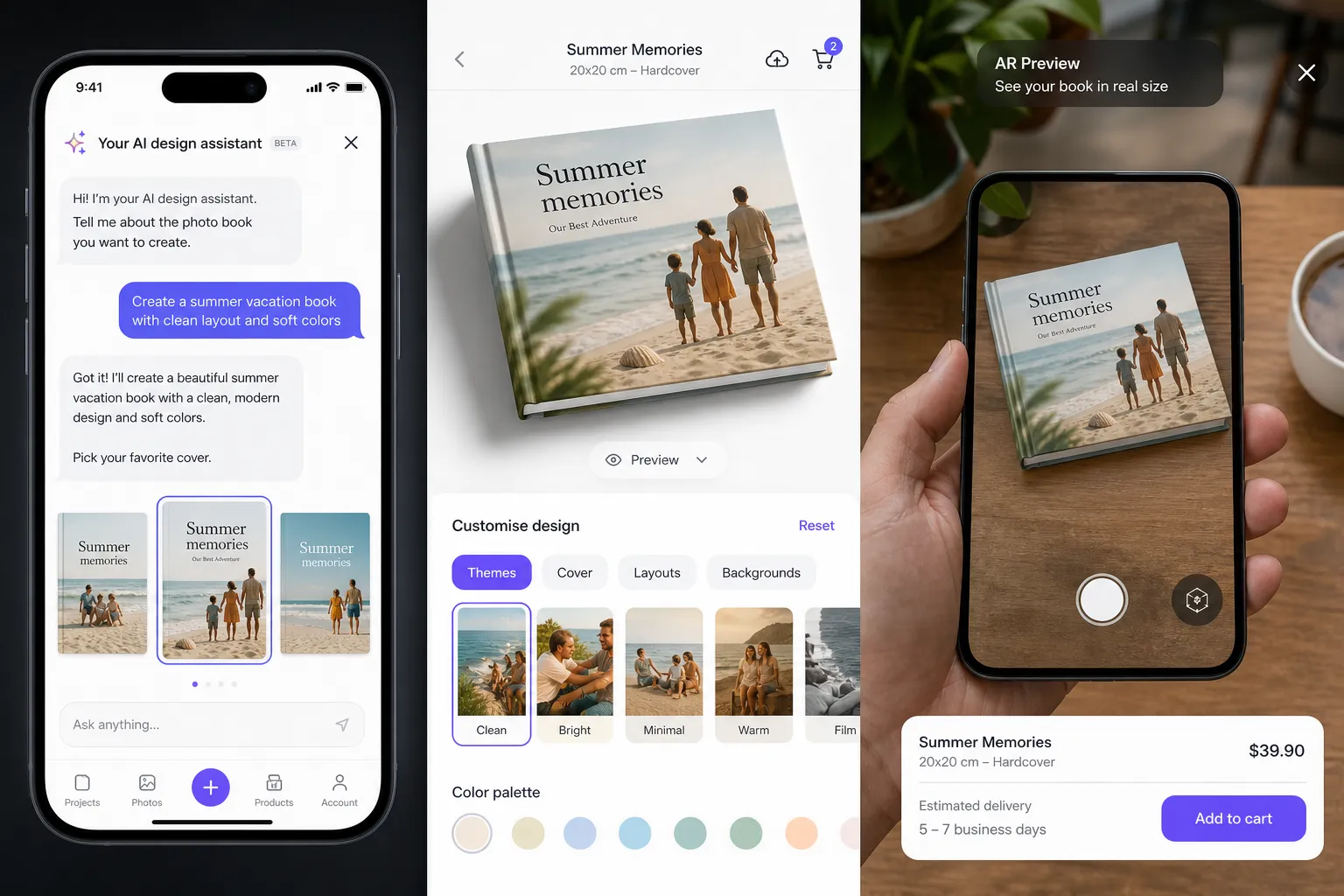
Media Rex Alliance is built around a different model: conversational product creation.
Instead of forcing users through a complex design tool, the platform allows customers to describe what they want in natural language, upload photos, and move quickly toward a print-ready result. That means a user can express intent such as:
“Create a modern travel book from our Italy trip with clean captions and lots of full-page photos.”
“Make a soft, elegant baby book with milestone sections and room for notes.”
“Build a premium wedding album with cinematic spreads and minimal text.”
The engine can then transform that prompt into a structured, branded, ready-to-refine product experience.
Why this matters for print businesses
For small studios, photographers, new print-on-demand brands, regional print players, and established photo book companies, that shift is strategic.
Media Rex Alliance helps businesses:
reduce design friction in the buying journey
turn prompts into print-ready products faster
improve purchase confidence with photorealistic 3D and immersive AR previews
launch fully white-label experiences inside their own storefronts or apps
support browser-based, no-install, mobile-first creation
keep projects synced locally and in the cloud across devices
lower inventory and overhead with on-demand production
automate fulfillment through a global printer network
scale from startup workflows to enterprise print infrastructure
In other words, it does not just help people make a better photo book. It helps brands deliver a better photo book buying experience.
Why previews matter so much before checkout
Storytelling sells, but confidence converts.
A premium photo product is a tactile purchase. Customers want to know what it will look like in the real world before they commit.
"Products featuring AR content have been shown to achieve conversion rates approximately 94% higher than those without such features." - Breeur Solutions
That is why Media Rex Alliance’s photorealistic 3D and AR preview capability is so powerful for web-to-print. When customers can visualize a finished book more realistically, they buy with less hesitation.
What leading photo book websites showcase well
The current market leaders each highlight useful strengths.
Mixbook: design depth and theme variety

Mixbook does an excellent job with design-led merchandising, extensive theme segmentation, and a premium positioning around customization. It also leans into AI-assisted creation and elevated storytelling formats.
Snapfish: price accessibility and broad format coverage
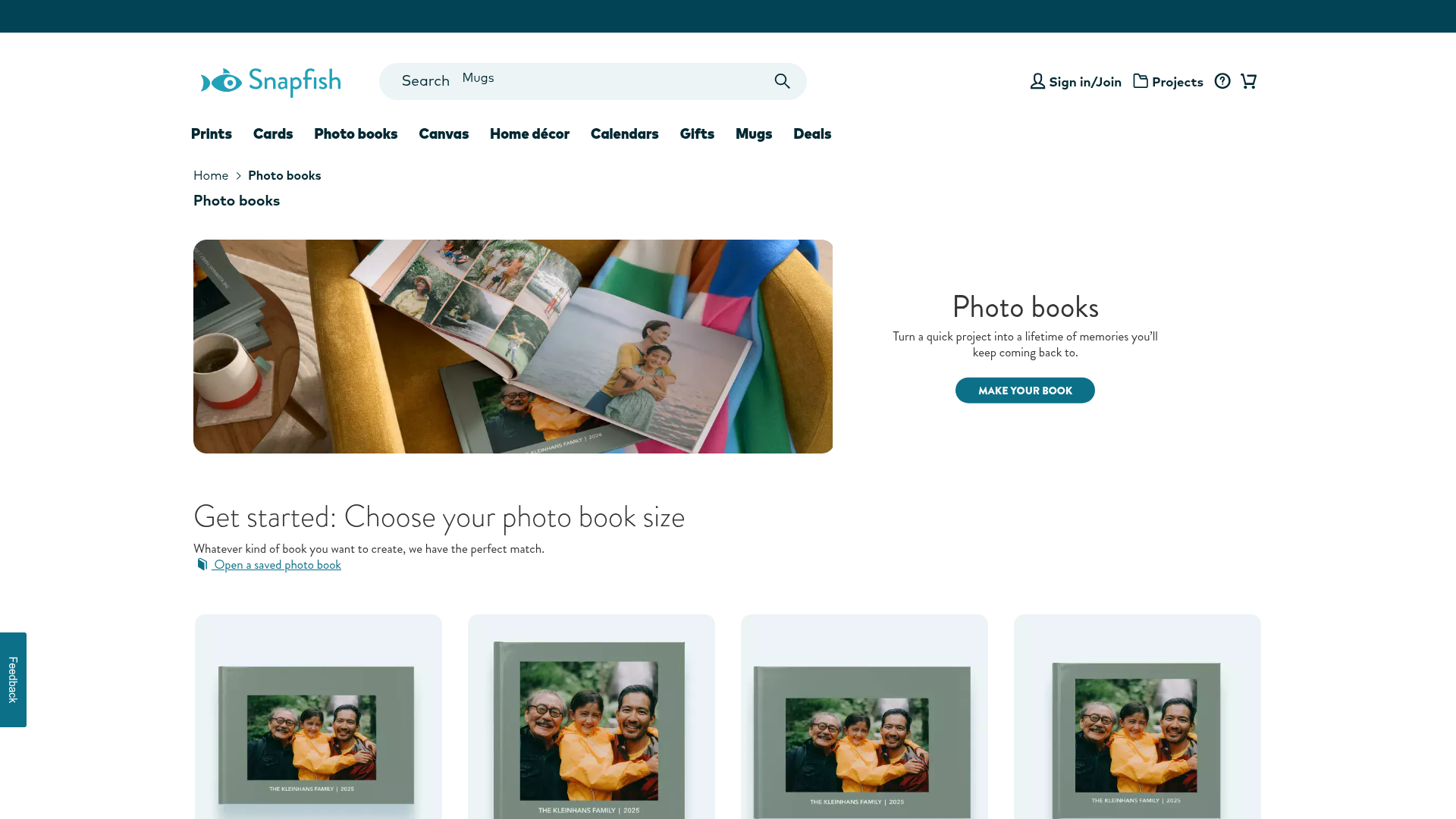
Snapfish makes choice easy to scan. Its pricing visibility, format breakdowns, and occasion templates support mainstream consumer adoption well.
Walgreens: speed and convenience
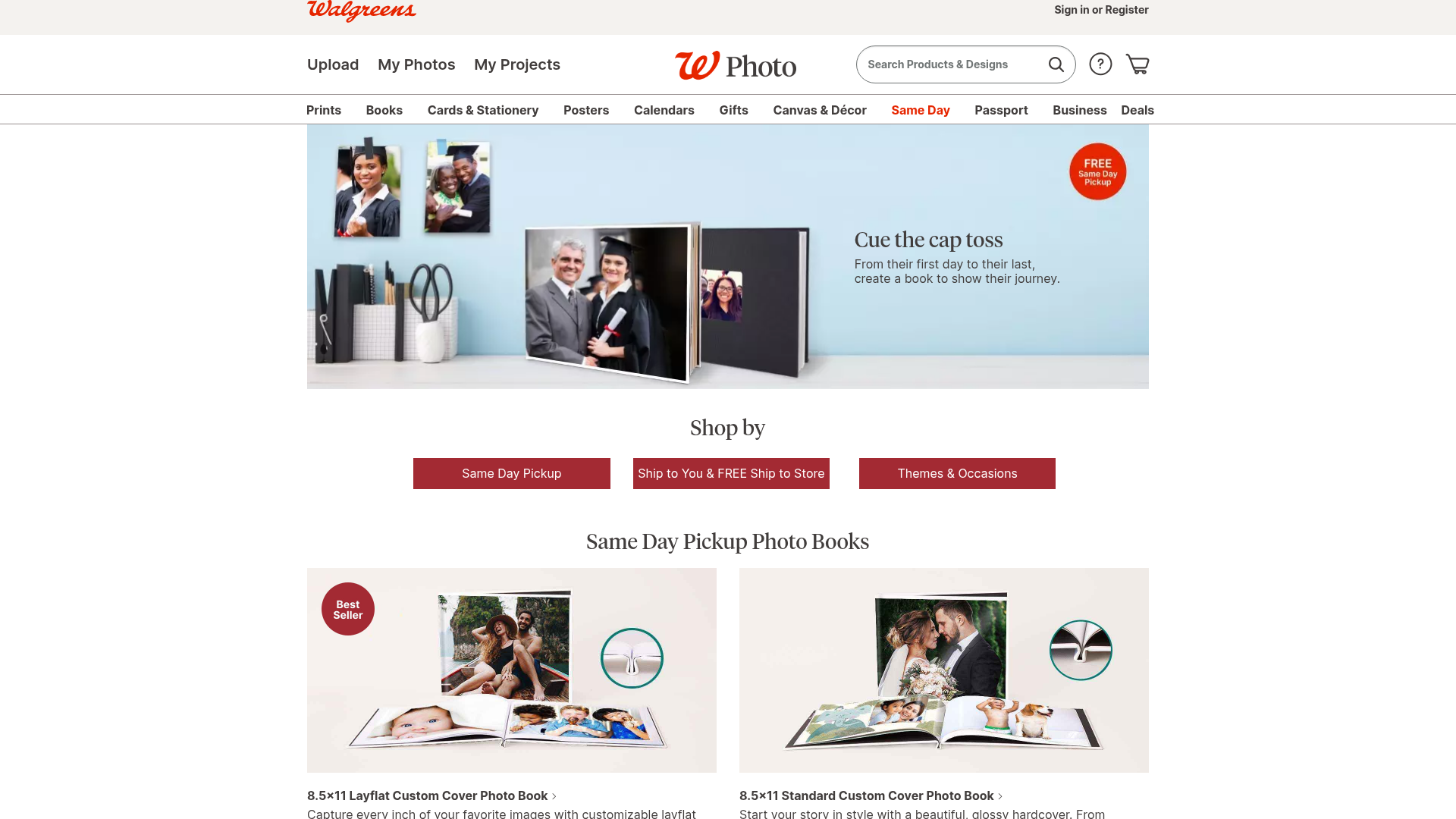
Walgreens stands out for same-day pickup positioning and convenience-led buying. That speed is especially compelling for gifts and urgent occasions.
Where the market is headed next
The next leap is not just more templates. It is:
conversational creation
smarter automation
white-label deployment
mobile-first usability
immersive previews
fulfillment automation
cross-device continuity
That is the category shift Media Rex Alliance is engineered for.
A step-by-step workflow to create a story-driven photo book
If you want a practical system, use this.
1. Define the emotional thesis
Write one sentence that captures what the book is really about.
2. Gather more photos than you need
Pull in all likely candidates first. Editing comes next.
3. Sort by chapter
Cluster photos by moment, location, phase, or emotional beat.
4. Pick your hero images
Choose the 10–20 most important photos first.
5. Fill with supporting images
Add context, details, transitions, and candids around the heroes.
6. Set a visual rhythm
Alternate between dramatic spreads, simpler pages, and collage moments.
7. Add short captions
Only where they increase meaning.
8. Standardize your design system
Lock in fonts, spacing, and palette early.
9. Review for redundancy
Remove anything repetitive or weak.
10. Test the ending
Make sure the last pages feel intentional, not leftover.
How many photos should you use?
There is no universal formula, but there is a practical one.
A useful planning rule
Use fewer photos than your instinct tells you.
Approximate guidance:
Book Length | Suggested Photo Range |
|---|---|
20 pages | 30–60 photos |
30 pages | 45–90 photos |
40 pages | 60–120 photos |
60+ pages | 100–200 photos, depending on layout density |
If you want a clean, premium, editorial look, stay at the lower end. If you want energetic montage pages, go higher.
Common mistakes that weaken a photo book story
Too many similar photos
This dilutes impact.
No narrative flow
The book feels random, even if the images are beautiful.
Overdesigned pages
Too many stickers, backgrounds, or text treatments distract from the story.
Tiny photos everywhere
If every page is crowded, nothing feels important.
Weak captions
Generic labels waste the opportunity to add voice.
No ending
A book that simply stops feels unfinished.
How businesses can productize better storytelling at scale
For print companies and digital print brands, a compelling consumer article on storytelling is only half the equation. The other half is operational: how do you make premium, story-driven creation easy enough to convert more buyers?
The old model
complex editors
high abandonment
slow onboarding
limited mobile usability
manual production handoffs
The scalable model
With Media Rex Alliance, brands can deploy a white-label AI print platform that turns natural-language intent into purchasable print products, while preserving brand identity and integrating into existing storefronts. The result is a faster, more intuitive path from inspiration to checkout.
This is particularly valuable for:
photo book brands modernizing legacy tools
photographers selling premium albums
studios offering branded memory products
regional printers expanding direct-to-consumer channels
print-on-demand startups launching without heavy technical buildout
Final verdict
If you want to create a photo book that tells a story, stop thinking like a file organizer and start thinking like a narrator. Choose a theme, structure chapters, pace the visuals, use captions intentionally, and design for emotion as much as aesthetics.
And if you are a print business looking to deliver that kind of experience at scale, the opportunity is even bigger. Media Rex Alliance gives you the infrastructure to transform photo book creation from a manual design task into a faster, smarter, AI-powered purchase journey. With conversational creation, photorealistic 3D and AR previews, white-label deployment, mobile-first browser access, cloud sync, on-demand production, and automated global fulfillment, it is built for the next generation of web-to-print.
The best photo book is not just beautifully printed. It is effortlessly created, confidently previewed, and impossible to forget.
FAQ
What are common photobook mistakes?
Common mistakes include using too many similar photos, skipping a clear story structure, overcrowding pages, and ending the book without a strong final moment. The best books are edited with intention, paced well, and designed around a clear emotional theme.
What is the app that makes your own story book with photos?
Several tools can help, but the new standard is an AI-powered photo book creator that turns prompts and uploads into layouts automatically. Platforms like Media Rex Alliance enable conversational creation, making it easier to build a story-driven book without complex manual design work.
What is the best site to create a photo book?
The best site depends on your priorities, but the strongest experience combines easy creation, premium formats, mobile usability, and realistic previews. For businesses that want to offer that experience under their own brand, Media Rex Alliance stands out with white-label AI creation and scalable print fulfillment.
How to create a picture story book?
Start by defining the book’s core theme, then organize photos into chapters with a beginning, middle, and end. Add a few short captions, vary page pacing, and choose a format that fits the emotional tone of the story.
What's the easiest photobook to make?
The easiest photobook is one built with smart automation and guided layouts, especially on mobile. AI-assisted platforms reduce friction by handling sequencing, layout suggestions, and previews so users can move from idea to order much faster.
How many photos should be in a photobook?
That depends on page count and style, but a clean, story-led book usually works best with 30 to 120 photos for most standard projects. Fewer photos often create a more premium look, while higher counts suit collage-heavy or event-dense books.